


Web Automation setup using Cucumber Framework with Allure report in python
Cucumber Introduction:
The “Gherkin” programming language is used by the Cucumber framework to run automated tests.
Two main files are used in the Cucumber framework. “Feature File” and “Step-definitions” are two of them.
Feature file — The “Gherkin” language is used to write plain text in the feature file.
Step-definitions — The real code generated by the software tester or developer is contained in the step definitions.\
Why Cucumber:
There are a lot of frameworks available for web automation, but Cucumber is the best option when compared to other alternatives.
Behavior-Driven Development (BDD) Support
Readable and Maintainable Tests
Reusability and Modularity
Parallel Execution and Reporting
Cross-Platform Support
Merits of using Cucumber framework:
Users can able to Understand the test scripts without having in-depth knowledge of programming.
Framework set-up is too easy compare than other framework like TestNG, JUnit.
How does Cucumber work:
Cucumber framework has 3 major parts.
Feature file
Step-definitions
Runner class
Feature file — Here the tests are written by the plain text that the file is called feature files it saved with the extension of “.feature”. These file elaborate how the project behaves and works by using the special kind of language is called “Gherkin”. Gherkin is the structured language that used the keyword “Given, When, Then”.
For example,
Given : Its a pre-conditions or the starting stage.
When : Its refer to the triggering object(What we do next)
Then : Its have the Expected outcome.
Step-definitions- What are the tests written in the feature file is associated with the step-definitions. The test fails having the certain action of code that tells the system what to do for that scenarios. If the Scenarios says “Click on the login button”, then the tests having the flow of action regarding the same.\
Test Runner file — Runner file runs the feature file and association with the corresponding step definitions.
Before going to the framework, we need to know what requirements are needed to set up the framework.
Pre-requirements:
Python installation
IDE (VS code / PyCharm)
Cucumber Extensions\
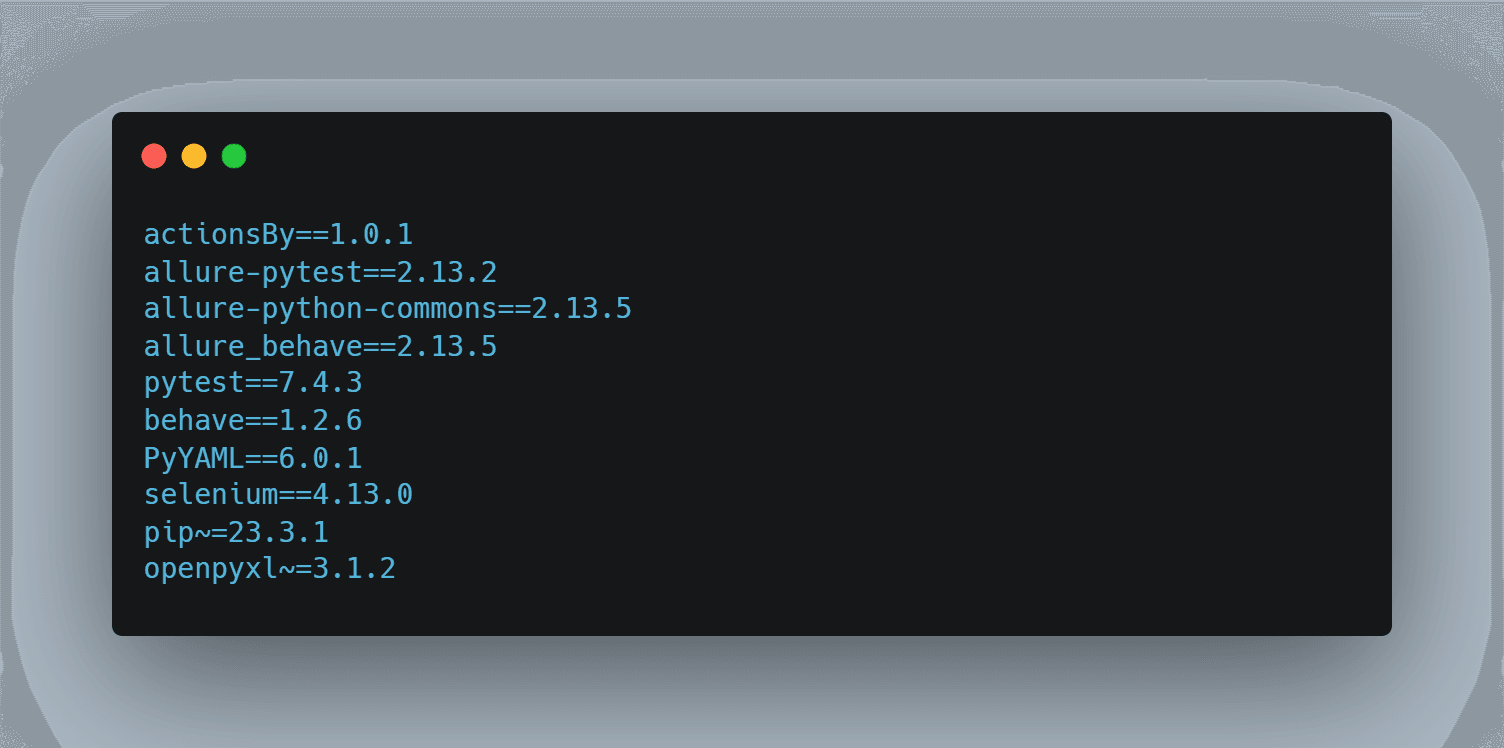
Below I’ve listed the packages required for the setup.
You can use the following command to add the below packages which is added in the requirements.txt file.
For example, “pip install package_name” → “pip install selenium==4.13.0”.
├── requirements.txt/
Now we move on to the framework structure for Python project with Cucumber set-up.
Note: Prior to that, it is necessary to create the Python project.
In below framework I used “LeetCode” website to automate the features.
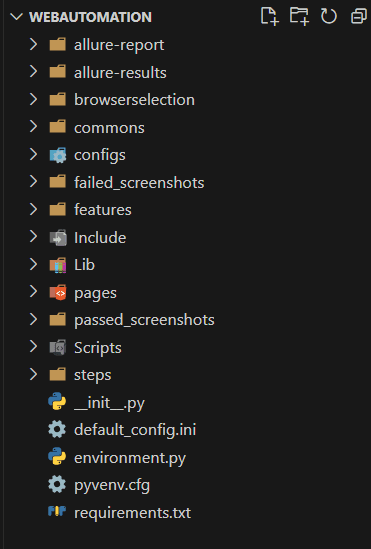
Framework Folder Structure:
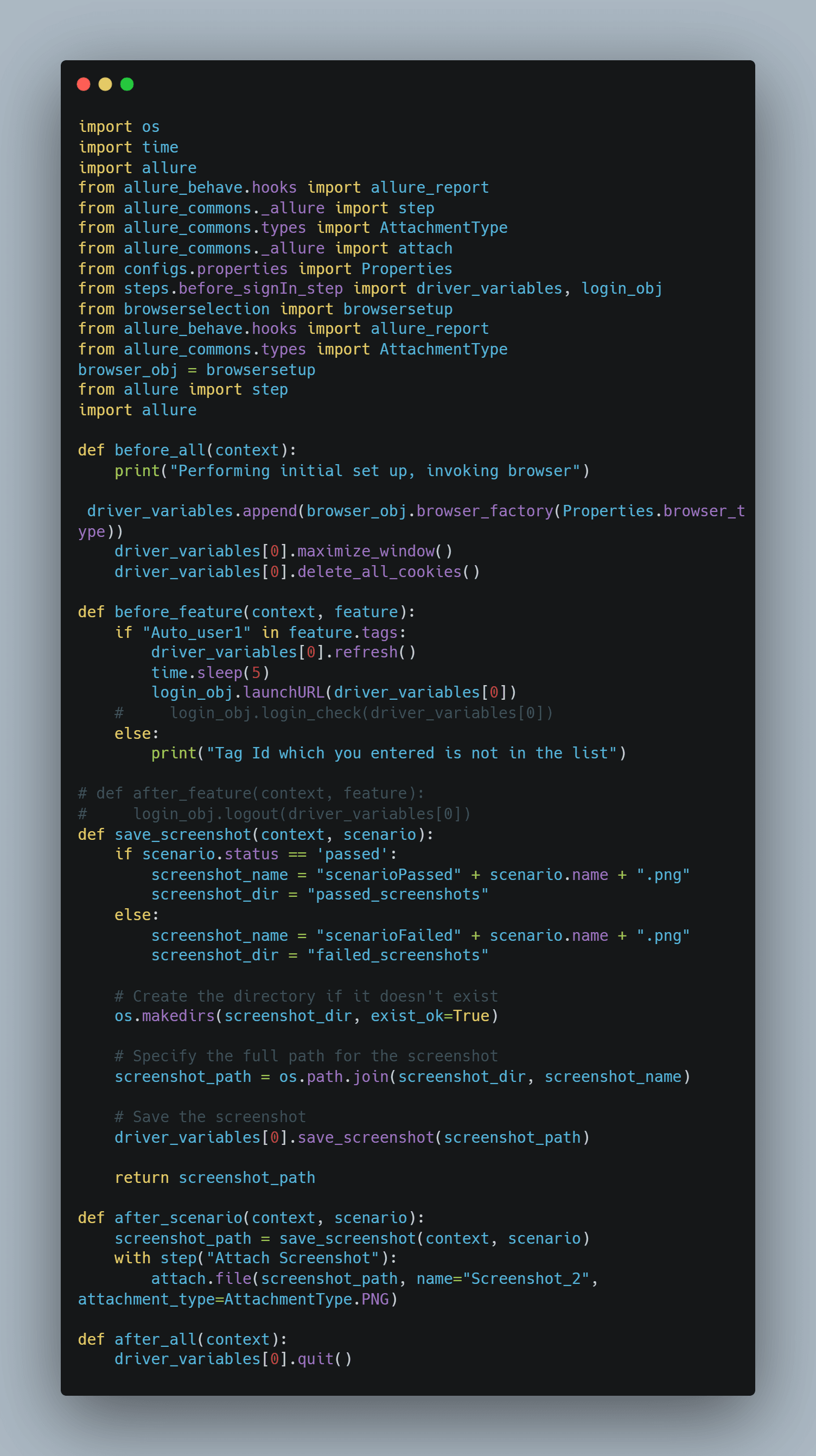
Environment.py
Here we used the following hooks “before_all, before_feature, and after_scenario”.
before_all: This hook runs at a single time. Whatever we want to run at only one time (like initialization or set-up) we can provide below “before_all” hooks.
before_feature: This hook executes before each feature. This hook is best used for ‘logging in’ or preparing data for the Scenario.
after_scenario: This hook executes after each scenario. Let’s take that you have 13 Scenarios in your feature this after_scenario hook executes after each scenario is done.
├── environment.py/
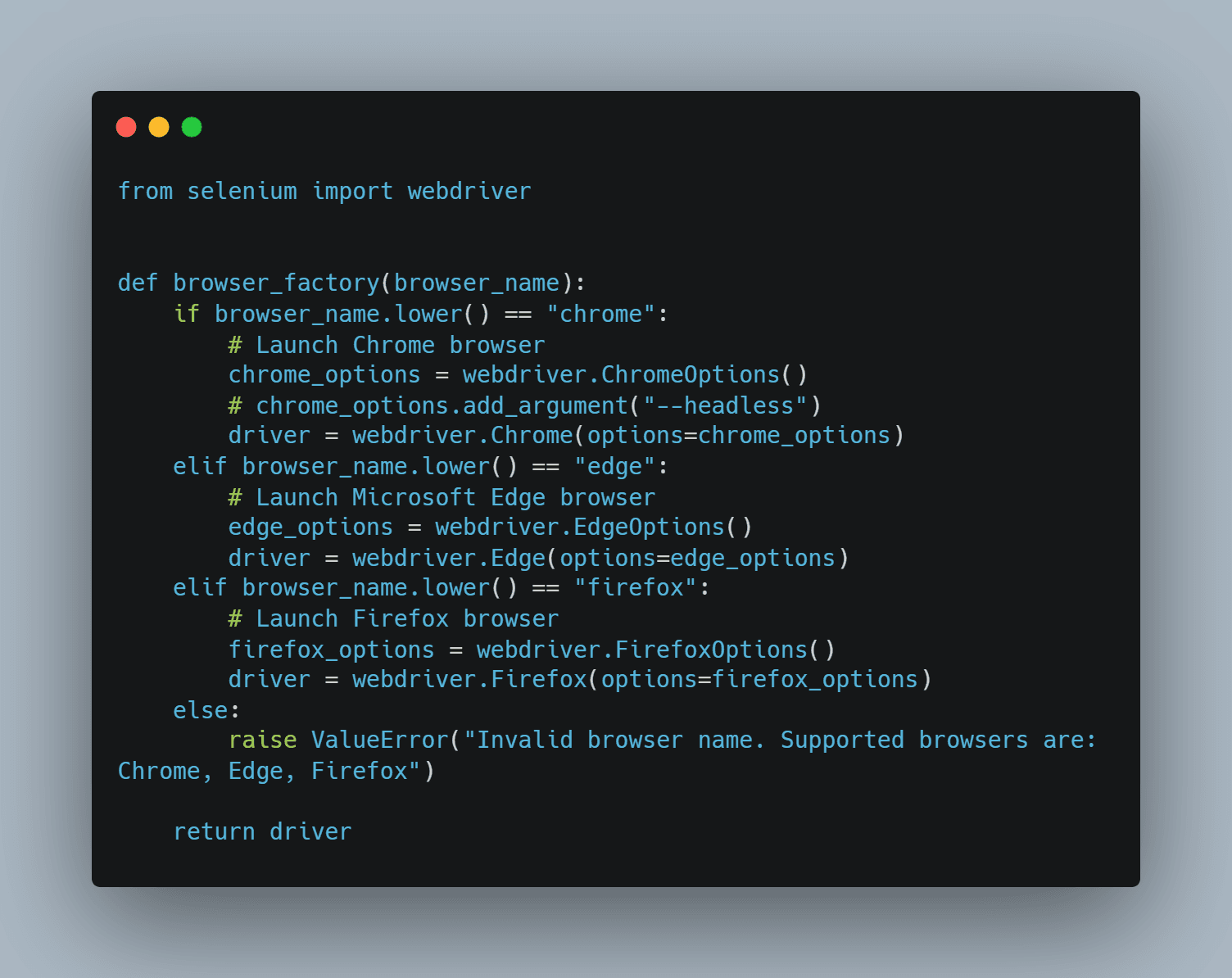
I used the browsersetup.py class inside of the browser selection folder.
├── browserselection/│ ├── browsersetup.py/
browsersetup.py
Browser-setup class has the Browser selection like which browser we want to use to run the Web application.
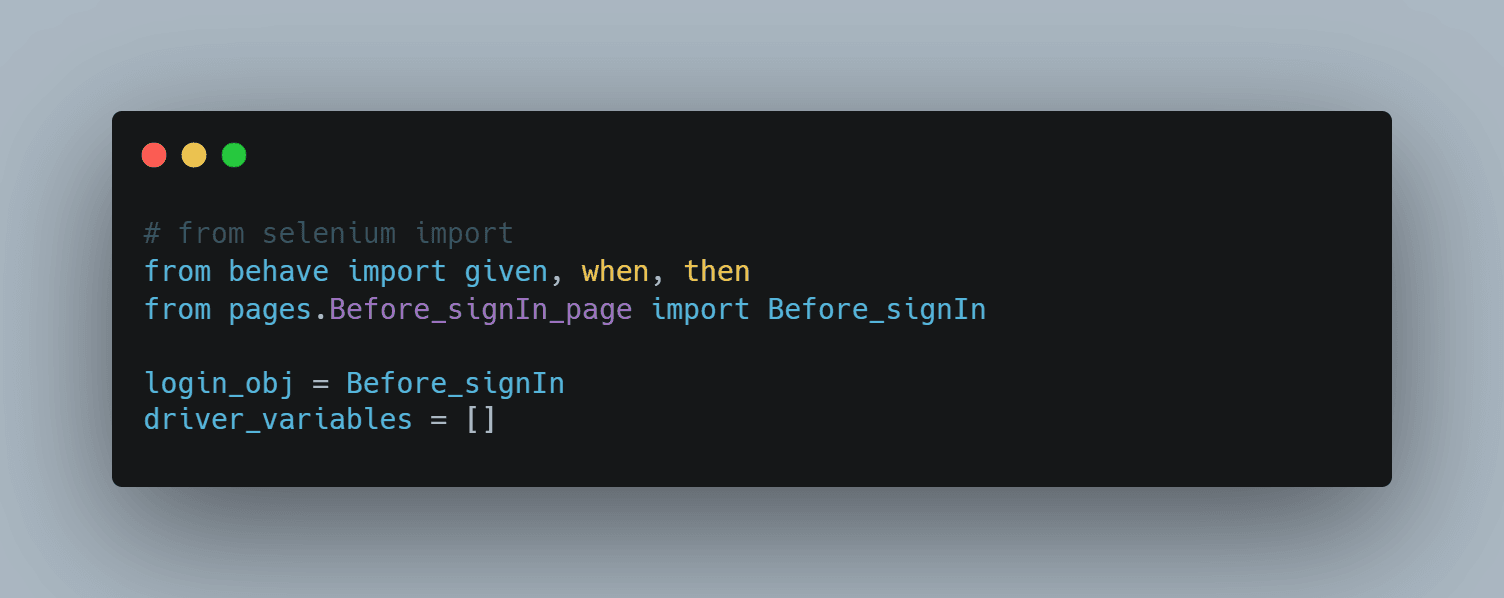
├── steps/│ ├── before_signIn_step.py/
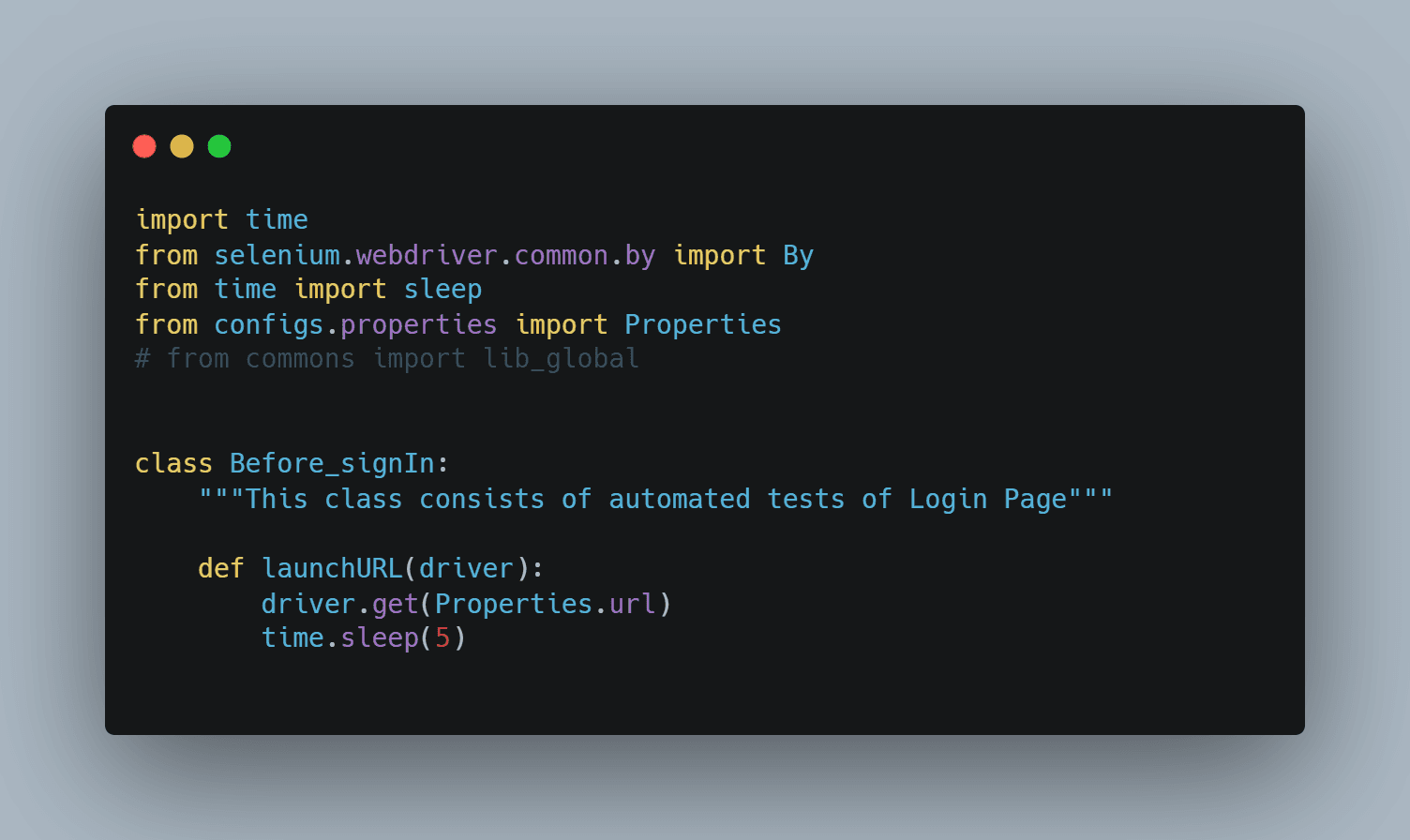
├── pages/│ ├── Before_signIn_page.py/
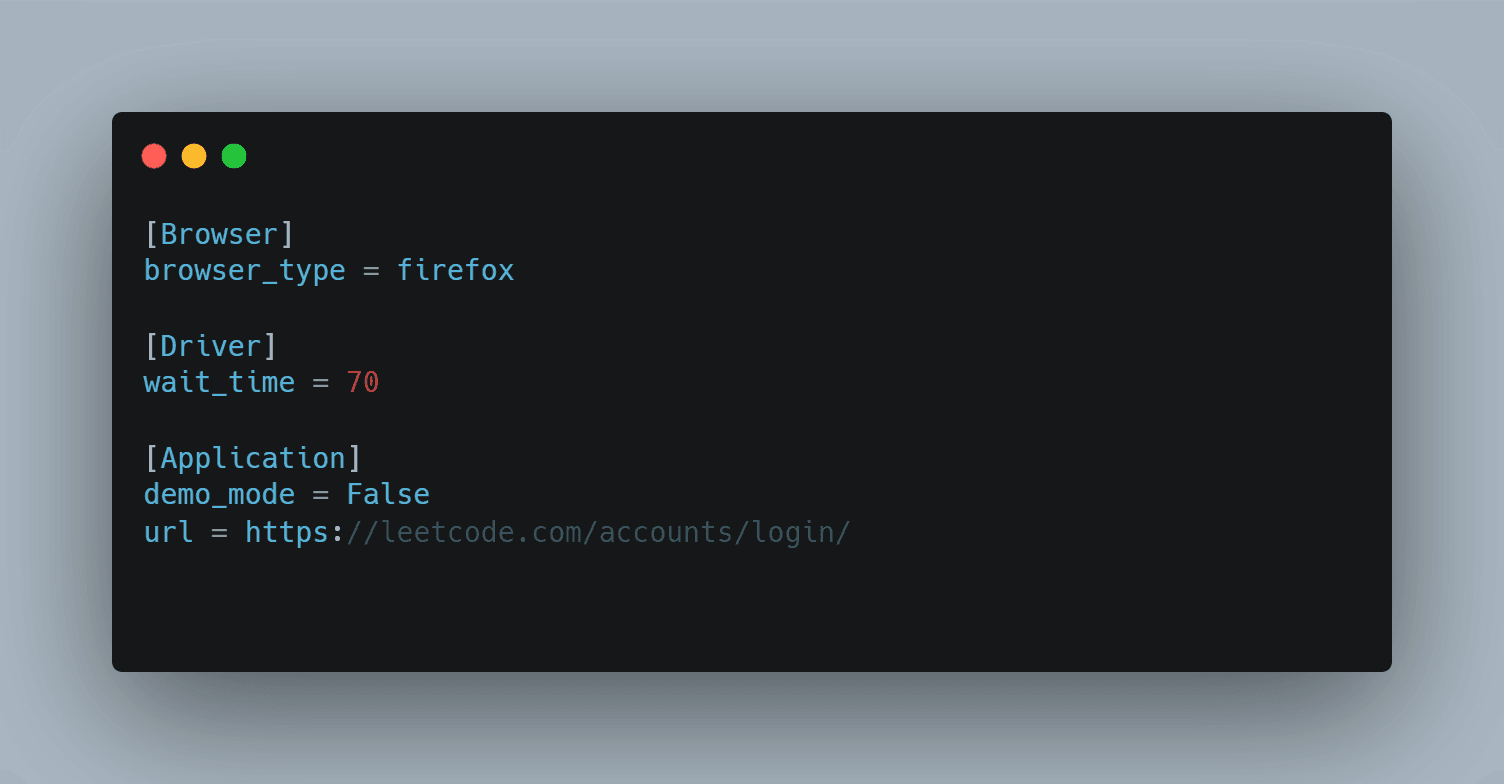
config.ini file:
Below the .ini file, you can modify the “url & browser_type — configuration parameter” based on your requirements.
If you need any other configuration Parameter and value you can add it here as well.
├── default_config.ini/
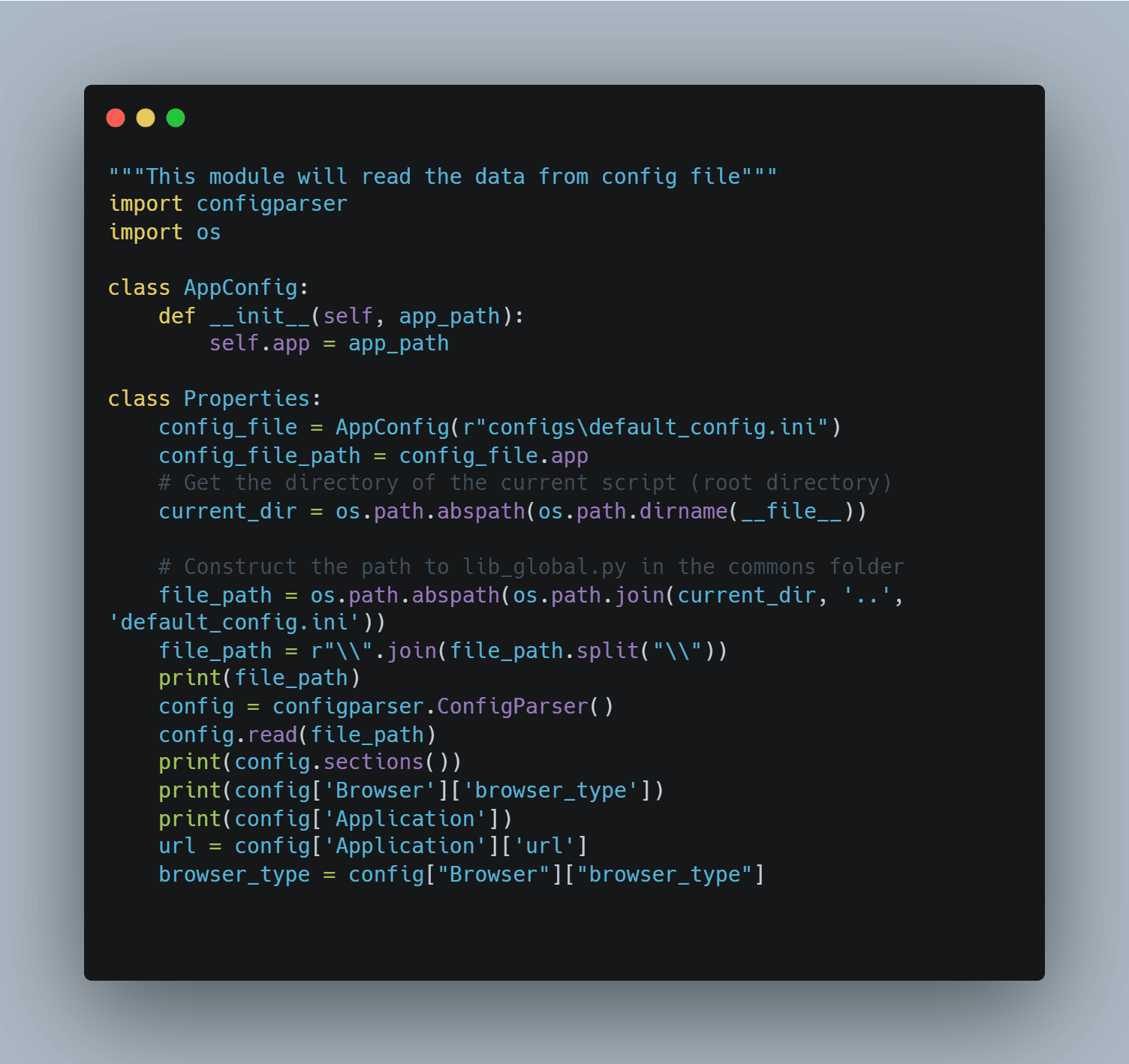
properties.py
I used the properties.py class inside of the config folder. This class contains the method to read the config file
Here we read the “url, browser_type” from the “.ini” file.
├── configs/│ ├── properties.py/
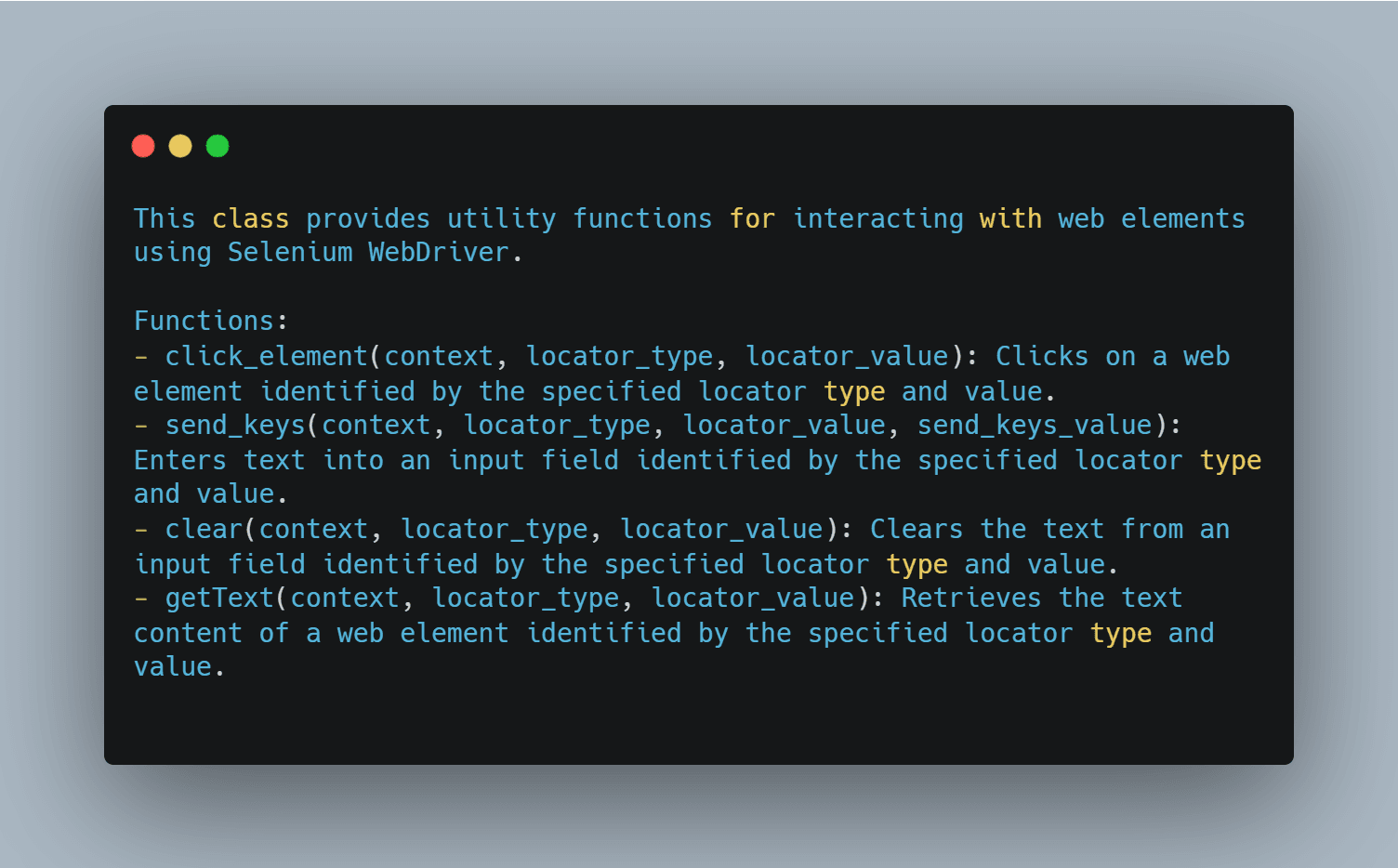
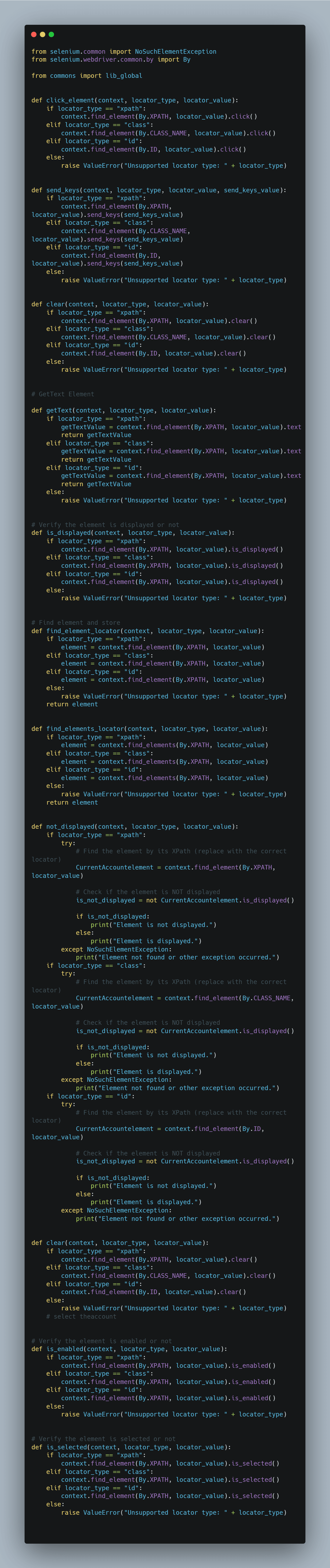
Lib_global file:
├── commons/│ ├── lib_global.py/
Feature file:
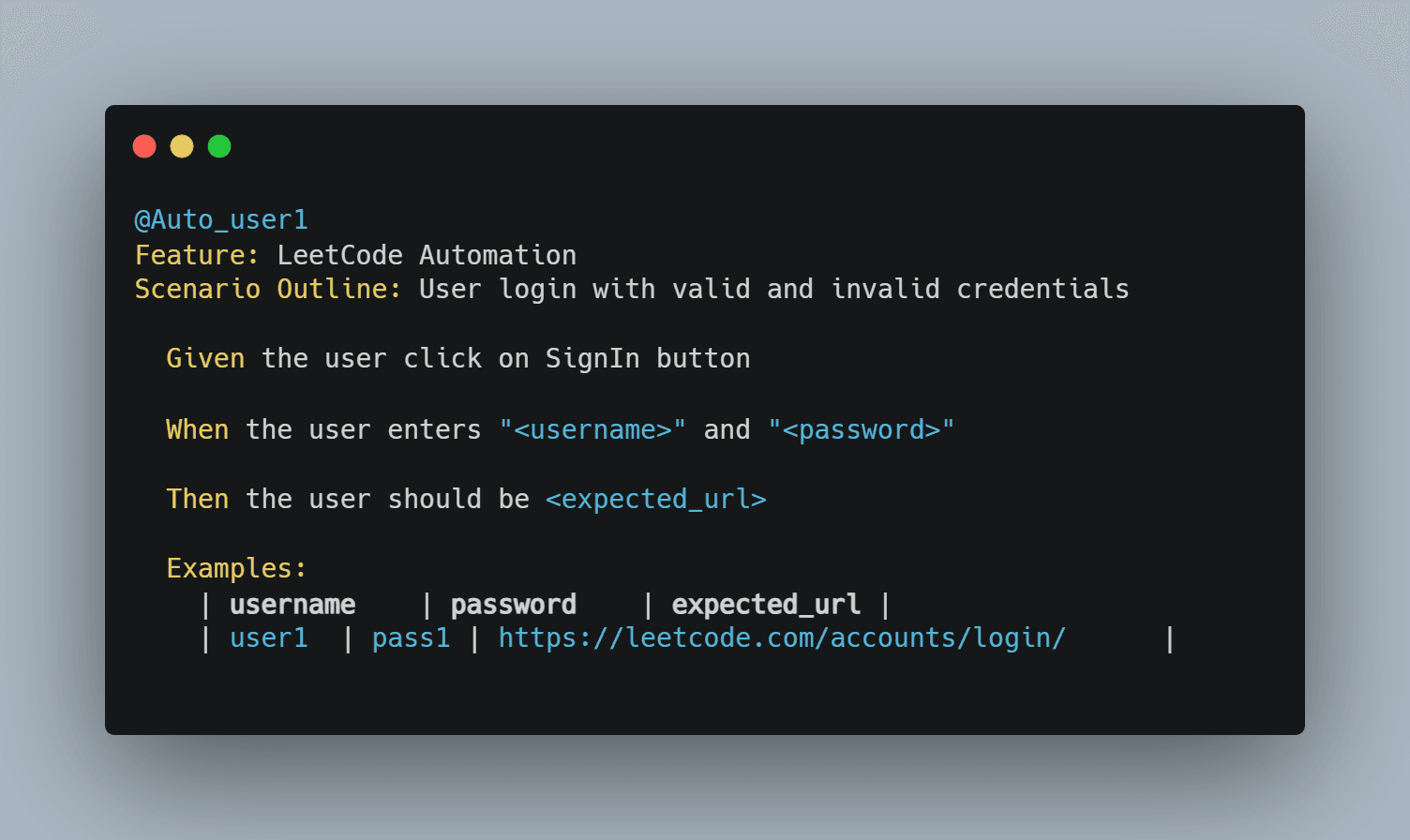
The below files contain the feature file which has “Simple English”. You can modify the below file based on your needs. The file saved by the file contains “.feature”.
feature/login_with_invalid_credentials.feature
├── features/│ ├── login_with_invalid_credentials.feature/
Step-definitions:
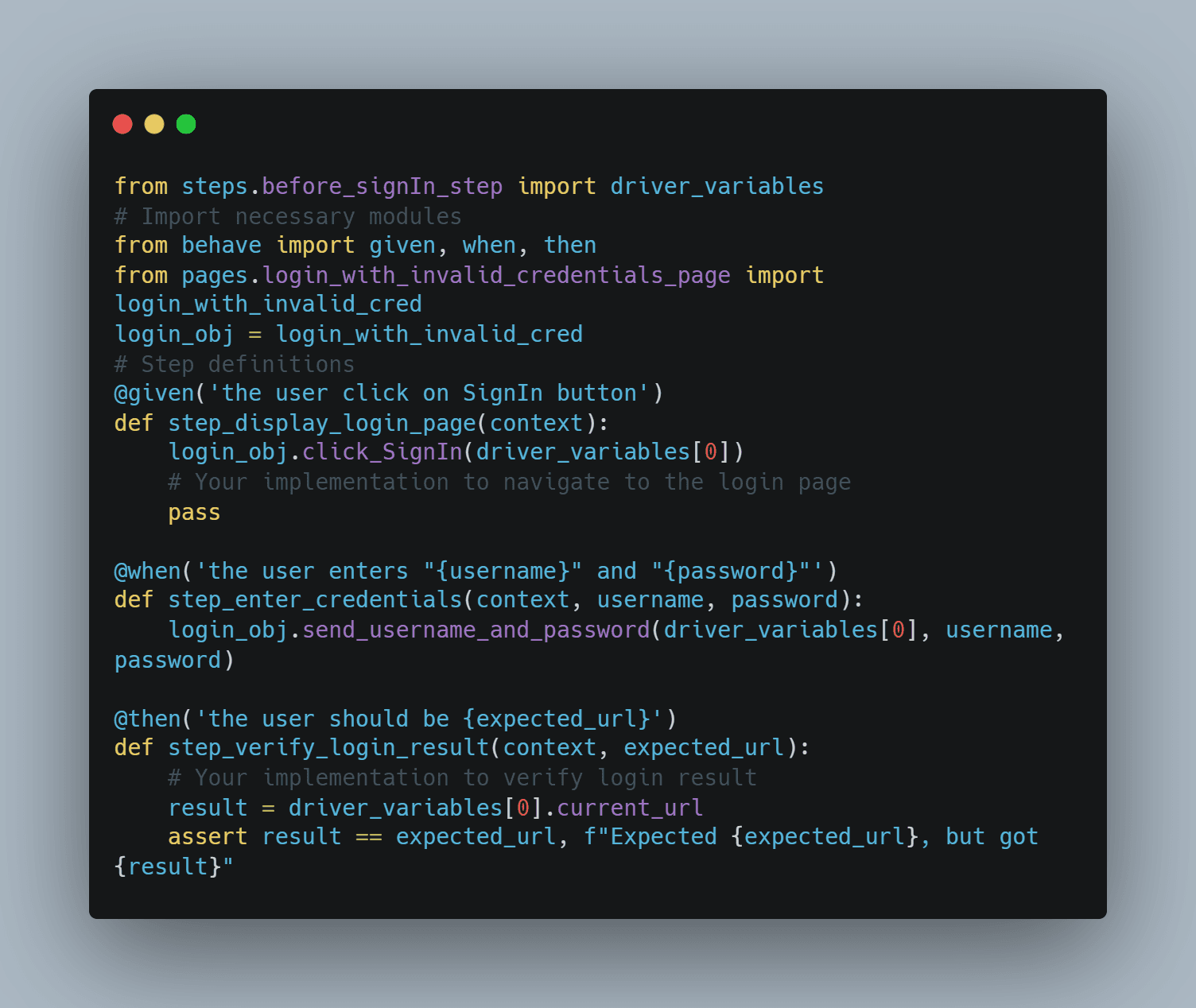
Here are the steps that are created for the above features.
Note: Ensure that the step definitions are the same as the Given, When, and Then scenarios specified in the feature.
steps/login_with_invalid_credentials_step.py
Pages:
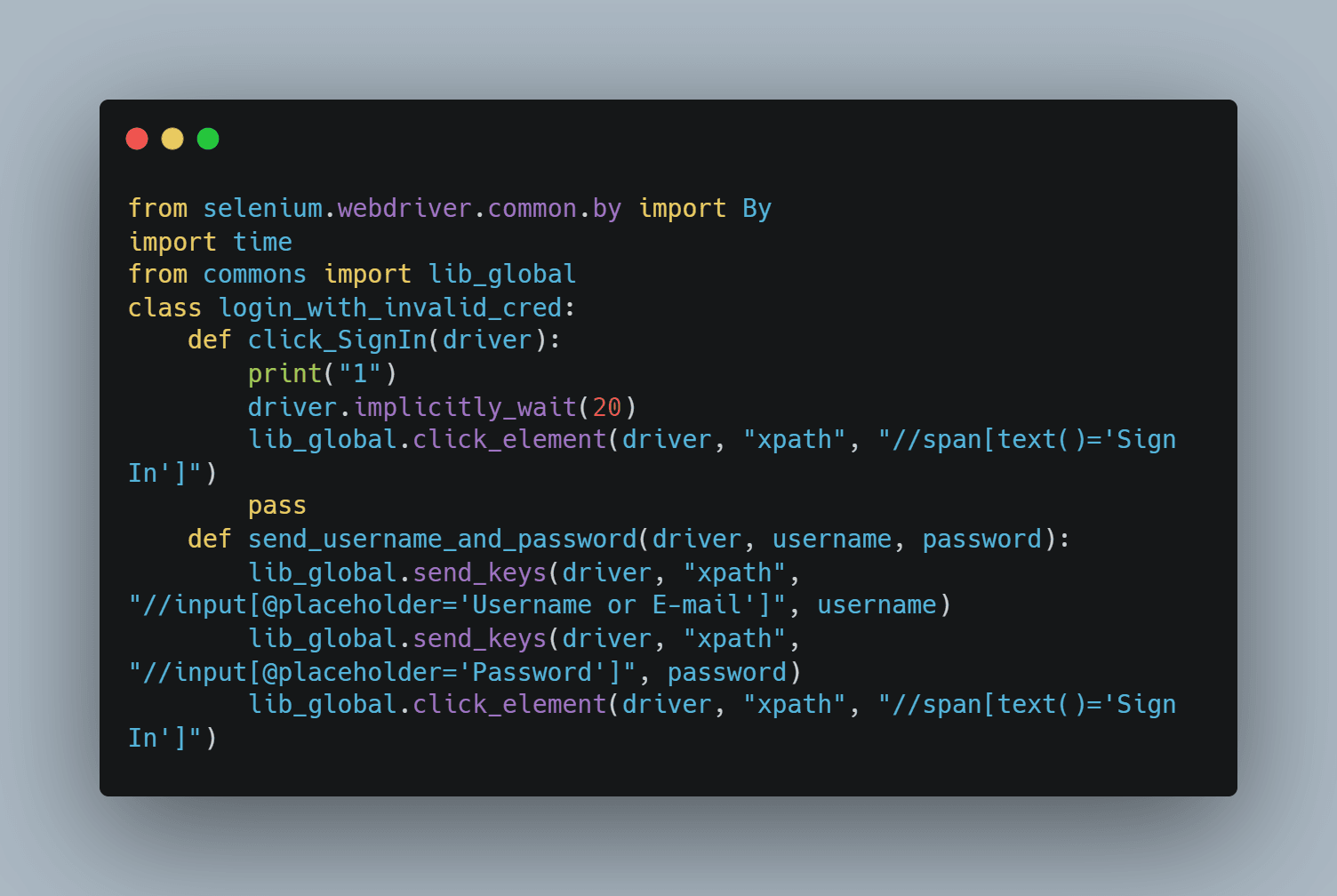
Here are the pages that are created for the steps that are created for the related feature file. In the pages file, we can give the functionality of related tests.
pages/login_with_invalid_credentials_page.py
├── pages/│ ├── login_with_invalid_credentials_page.py/
pages/login_with_invalid_credentials_page.py
Import the needed packages and folders for the Login page.
You have successfully configured the framework set-up.
Run commands:
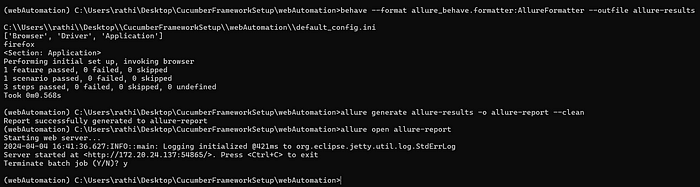
Navigate your project folder and type the following command to run your feature file:
behave --format allure_behave.formatter:AllureFormatter --outfile allure-results
Note: The way to handle, incase you are facing following exception after successfully create the project with cucumber framework setup.
KeyError: ‘Browser’/ KeyError: ‘Application’ : Double-check that the .ini file name provided for the properties.py class is correct. Ensure it matches the name and path of your configuration file.
ImportError: cannot import name ‘NoSuchElementException’ from ‘selenium.common’ : Upgrade your Selenium version to at least version 4.13.0 or any version that supports the NoSuchElementException class. This will ensure compatibility with your Selenium setup.
usage: behave [options] [ [DIR|FILE|FILE:LINE] ]+
behave: error: unrecognized arguments: — format : Please confirm that the command you’ve provided is correct.HOOK-ERROR in before_all: AttributeError: type object ‘Properties’ has no attribute ‘browser_type’: Verify that you have stored the browser_type value in your properties.py class file. For example, you can define browser_type within the Properties class to ensure it’s accessible. Here’s an example of how you can store browser_type.
browser_type = config[“Browser”][“browser_type”]
After run the feature file type the following command to generate the allure report:
allure generate allure-results -o allure-report --clean
Type the following command to open the report:
allure open allure-report
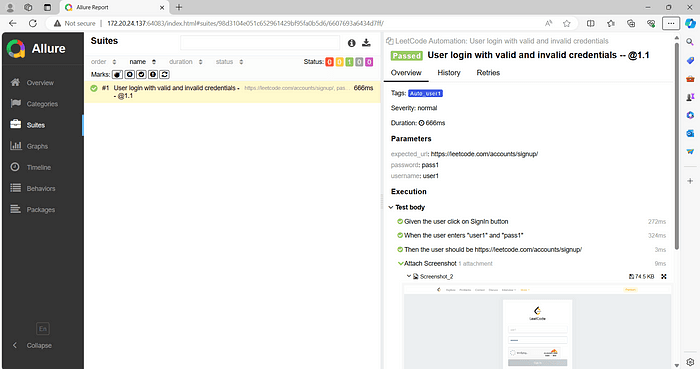
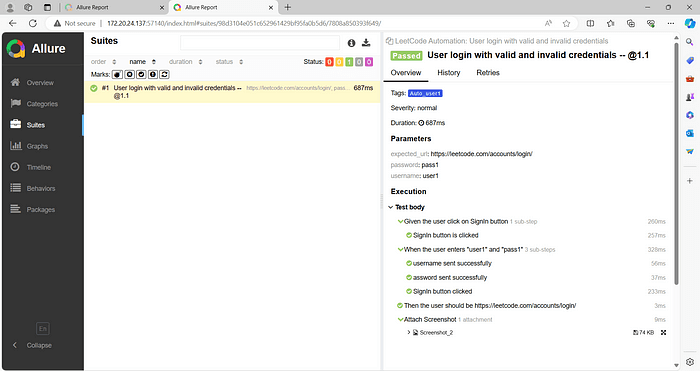
Sample allure report will be.,
Attached herewith is my sample framework (GitHub repo) for your reference.
Overview for Allure:
Allure is an open-source framework designed to generate detailed test reports for various testing frameworks such as Pytest, JUnit, TestNG, Cucumber, and more.
Allure Annotations:
Here I listed some annotations which are available in Allure:
@Feature , @Story , @Step , @Attachment , @Description , @Severity , @Issue , @Link , @Owner , @Tag , @Epic .,
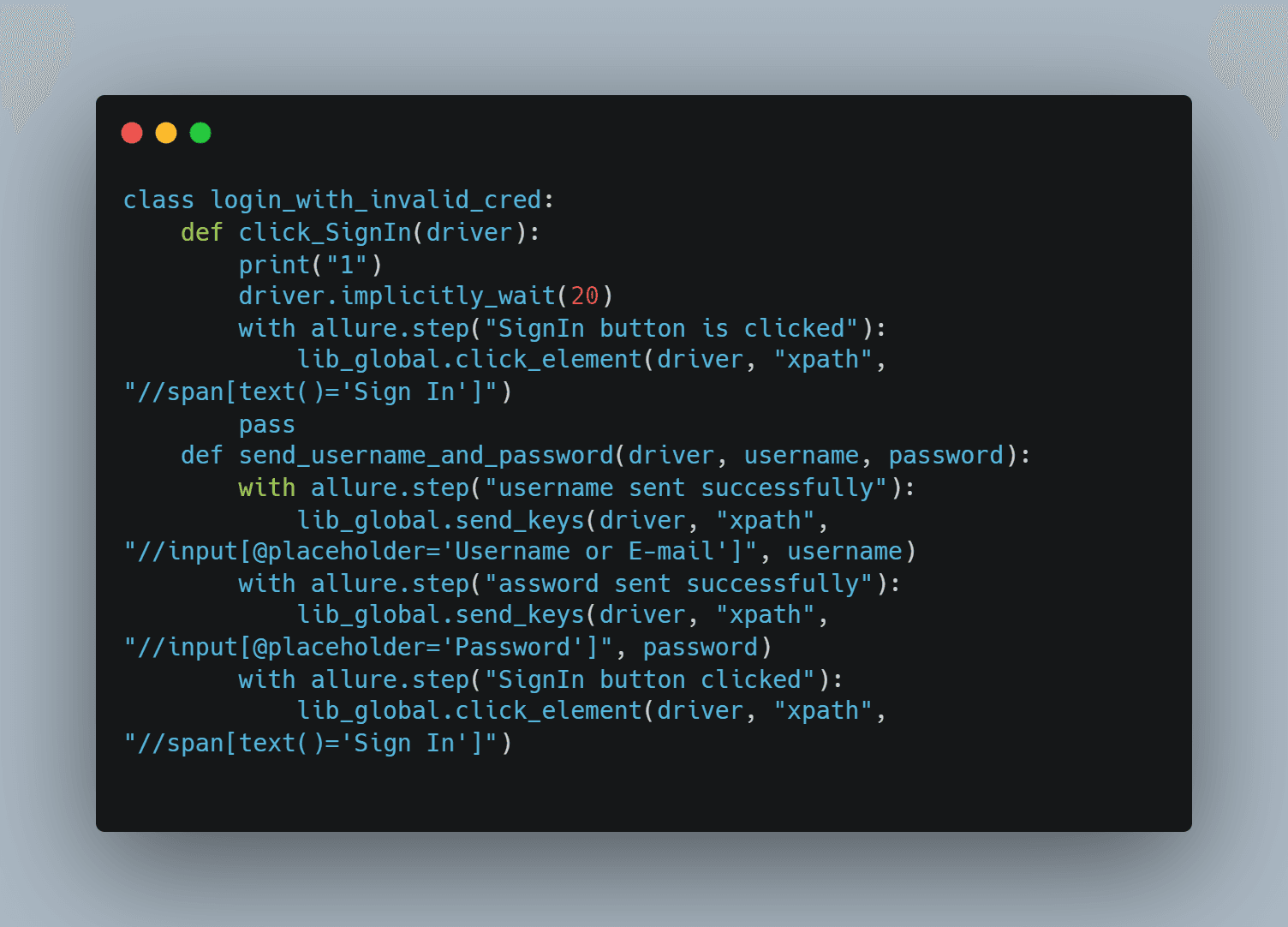
In our project, we used the following annotations: “@Step” and “@Attachment”.
These annotations are used for detailing the steps of our test scenarios and attaching additional information, such as screenshots or log files, to our test reports.
Here’s how you can implement ‘with allure.step’ effectively in your project.
Allure Report output:
You can used the mentioned annotations according to your specific requirements.