


S3 is excellent for storing files, but it also has many other uses.
This is part 1 in a series of blog posts on how to leverage the power of AWS lambda with python.
Over the past years AWS lambda has exploded in popularity. In fact, I would go out on a limb and claim that Amazon themselves would not, in their wildest of their dreams, have predicted its adoption. What started out as a simple ‘Function-as-a-service’ platform (you just pay for multiples of 100ms usage of computation power your function used), is now powering entire backend API’s of large scale web applications. In spite of the many downsides of choosing Lambda(and API gateway) for your architecture (cold starts, 250 mb limit for application size including libraries), the benefit of not having the overhead to manage and maintain application servers is far more appealing.
Python and Lambda
One of the major languages supported by lambda is python. In this article, we will go over the manual process of creating a lambda function and then do the same thing using the Serverless framework. In simple terms a lambda function is a python module in which one function is invoked by a particular event. The signature of the invoked function has the following parameters — event and context
“event” is the data that’s passed to the function upon execution. It’s a dictionary and it’s used by the invoking function(api gateway/event bridge) to pass data into the lambda function.
“context” is an object that contains information on the current execution environment.
Getting Started
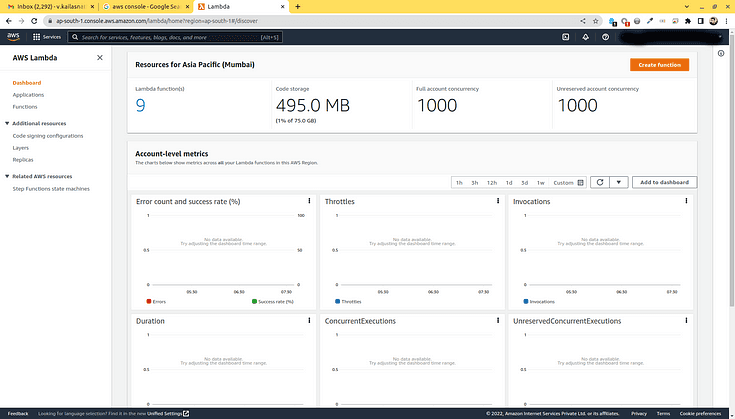
The simplest way to create a lambda function is to open the AWS console, navigate to the lambda page and click on “Create Function”.
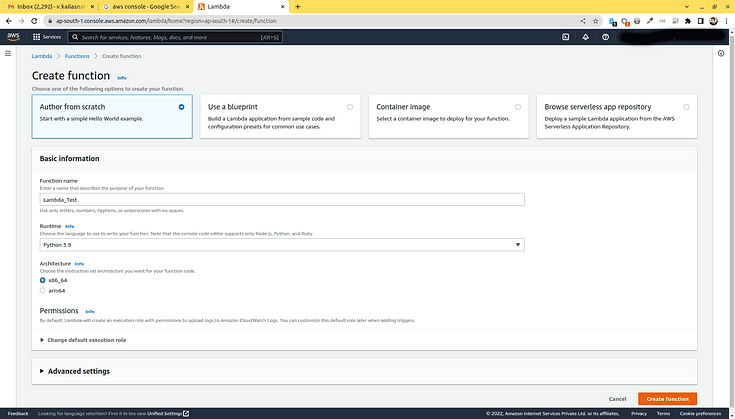
You are immediately taken to a form where you can fill in the function name, let’s name ours “Lambda_Test”. Choose Python 3.9 under runtime and leave all other fields with their default state. This creates a lambda function and takes you its dashboard.
You can see the folder name is set at “Lambda_Test” which has a python file lamda_function.py. This file has a single function — lambda_handler which takes 2 arguments — event and context.
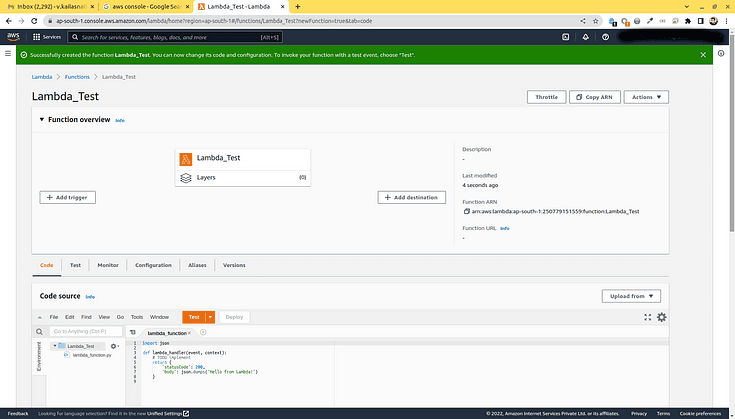
You can see that the default code is as follows
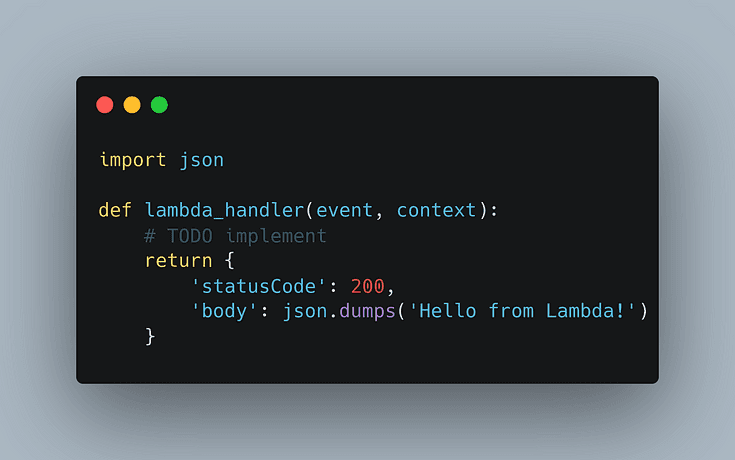
Lets play a bit here so that we understand what is really happening. Change the code to the following.
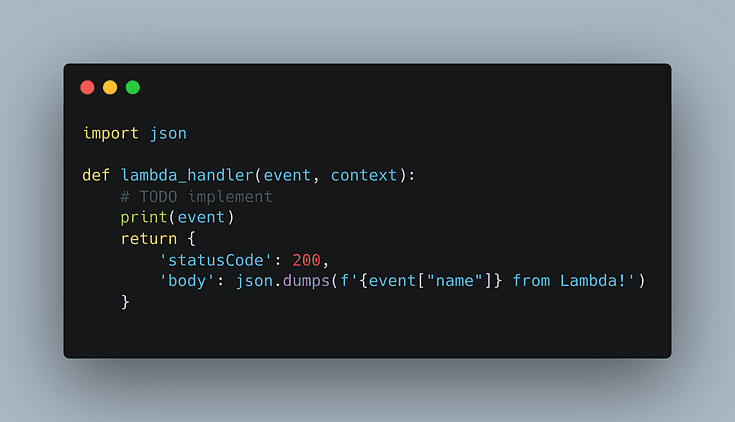
Save the function and deploy it. Go to the test table and create a simple test where we pass the following as event
Conclusion
When you see the event being printed in the Cloudwatch logs of your lambda function, you should notice that the lambda function works just fine.
This topic will be a series of articles to make you explore in-depth about the powers and features of AWS and Python. Once you have a grasp on this article, the upcoming ones will express more features about these technologies.